How Kevin Turns Photographs Into Insurance-Ready Contents Line Items
Photographs in, a reviewed and priced inventory out. A person confirms what each item is before anything is priced, and nothing is charged until a photograph becomes a line.
How does Kevin build a contents line item?
Photographs land in staging, software proposes which shots belong to the same item, a person confirms that grouping, and only then is the item identified, priced from a listing, classified and depreciated.
The order matters more than any single step. Grouping happens before identification, so a wide shot and a model-plate close-up become one line instead of two. Review happens before anything becomes a line, so nothing enters the claim that a person has not seen. Pricing happens after identification, because a price is only defensible once you know what the item is.
How it runs
- 01Photos inDrop a folder, a phone dump or a whole .zip. Nothing is a claim line yet, and nothing is charged.
- 02ReviewedShots of one item are proposed as one item. You confirm, merge or split before anything is priced — and a line counts against your allowance once it becomes a line, not when the photo lands.
- 03PricedEach line gets a price from a listing with the source kept on the row, a content class, and depreciation for its age.
- 04ExportedXactimate (Excel) · .xlsx in the XactContents template, or a room-by-room PDF.
Photos in
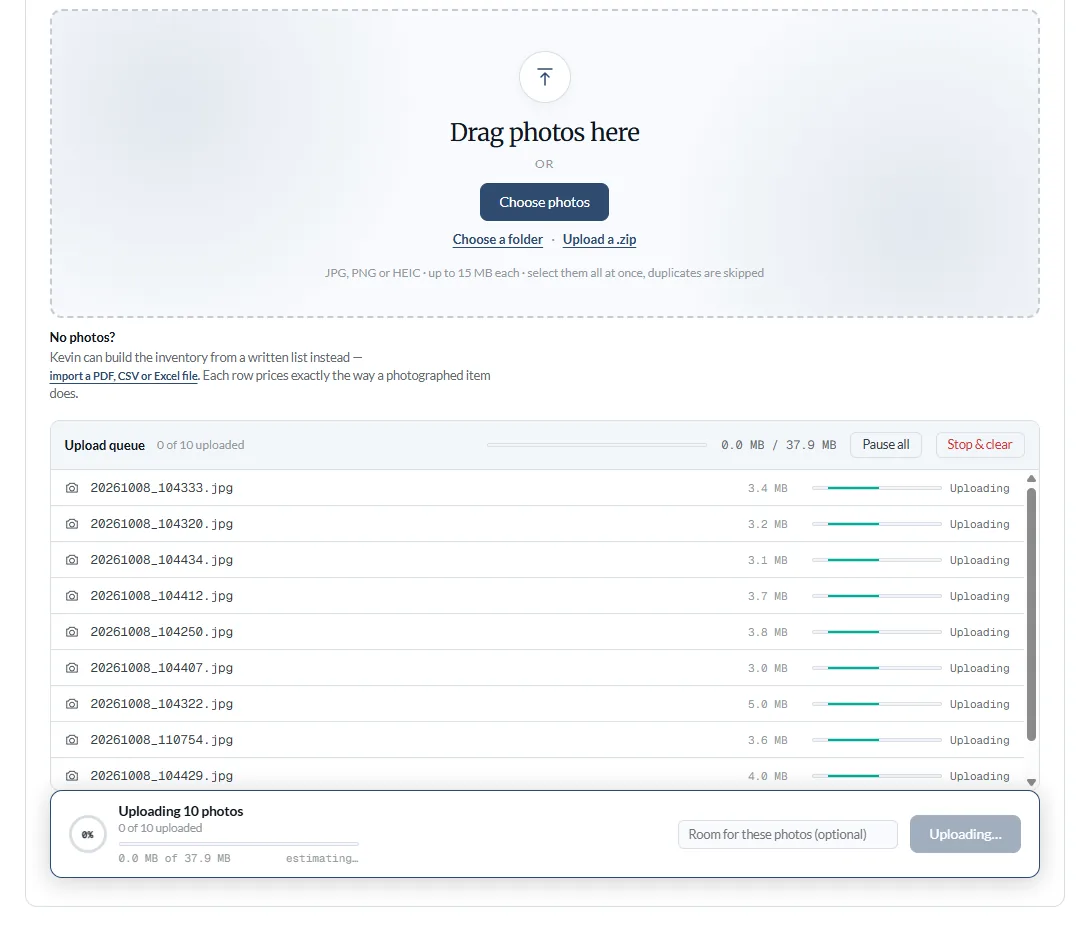
Select the whole folder and click once — a phone dump or a whole .zip works the same way, and there is no total-size cap. Re-dropping yesterday’s folder resolves to duplicates rather than doubling the claim, so a second drop appends rather than overwrites. Photographs land in staging. None of them is a claim line yet, and none of them has cost you anything.
Reviewed
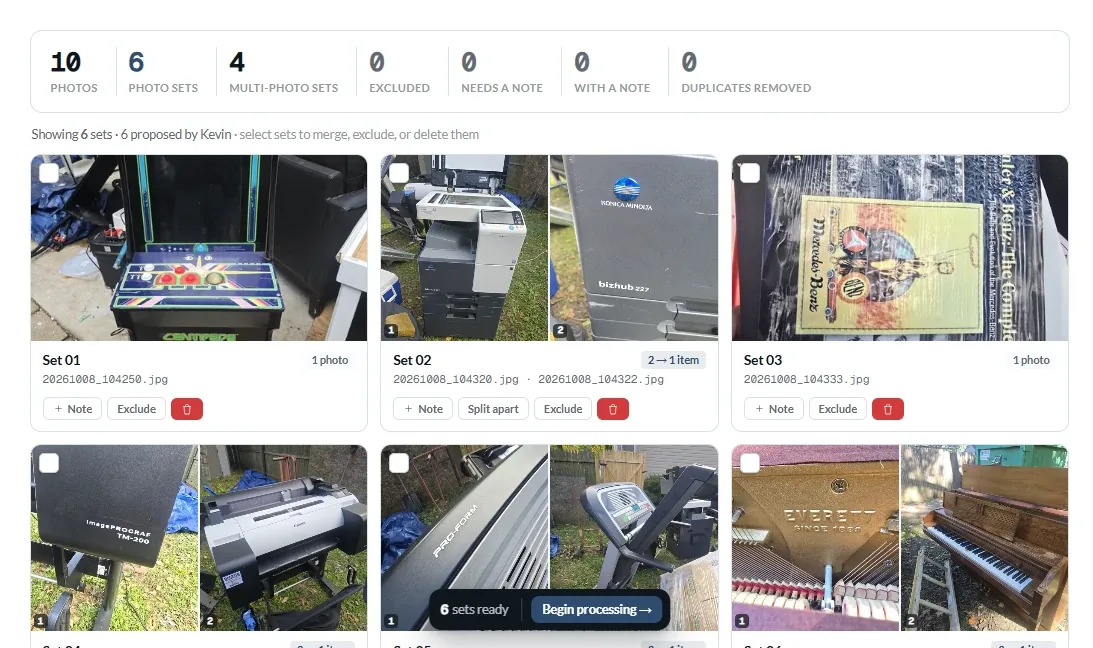
Shots taken seconds apart, in the same place, are proposed as one item. This step is deliberately pre-identification: staging shows you sets and timestamps, never a guessed item name, because a guess shown at this stage would be read as a finding. You merge sets that should be one item, split ones that should not, add a note where a photograph needs context, and exclude anything that is not contents. Excluded photographs stay on the claim — in property claims evidence is excluded from the worksheet, never deleted.
This is the moment an item counts against your allowance — not when photographs were uploaded, and not for sets you excluded. If a batch would exceed what is left, Kevin processes up to the limit and tells you exactly how many were left over, rather than failing the whole upload; the remainder stays on the claim and runs when the allowance is restored.
Priced and depreciated
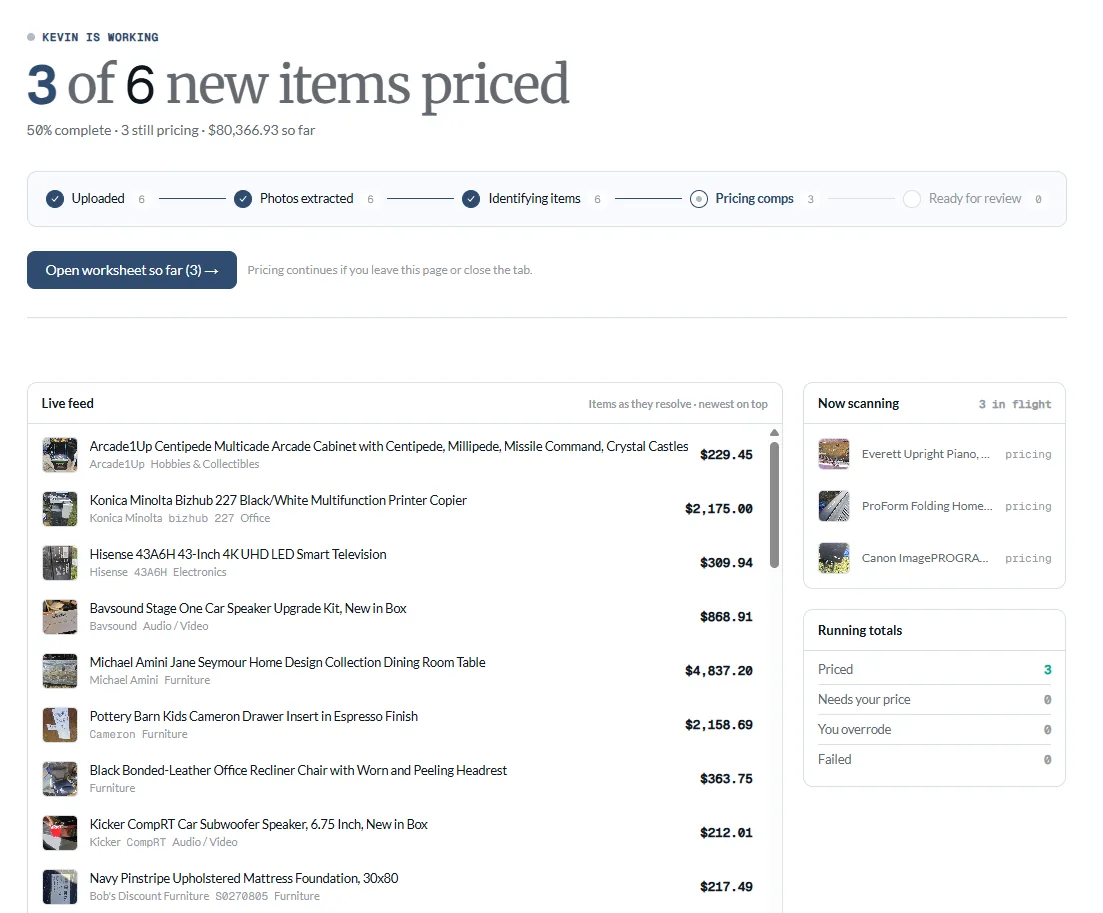
Each item is priced against the Kevin Content Pricing Engine, from a single listing — with that listing’s link stored on the row and printed in the export. Where retail cannot price an item, the resale market can, used raw and labelled as resale so a used-market price is never read as a new-replacement one. Where neither can, the cell arrives blank and editable rather than guessed.
The content class gives the useful life; the age you enter gives the percentage. The schedule carries 31 categories and 87 sub-lines, so footwear, collectible media and major appliances are not treated as one category. Depreciation applies to the tax-inclusive line total and runs to 100%: property past its useful life shows $0.00 ACV. Furs and jewelry other than costume pieces and watches have no useful life at all and are appraisal-based; costume jewelry (10 years), watches (20) and firearms (20) are ordinary age-based lines. Those four classes are never automatically PRICED, which is a separate rule from how they depreciate.
Counts read from the live schedule on 3 October 2026. Depreciation is subject to the policy and the jurisdiction; Kevin computes a schedule, not a coverage determination.
Exported
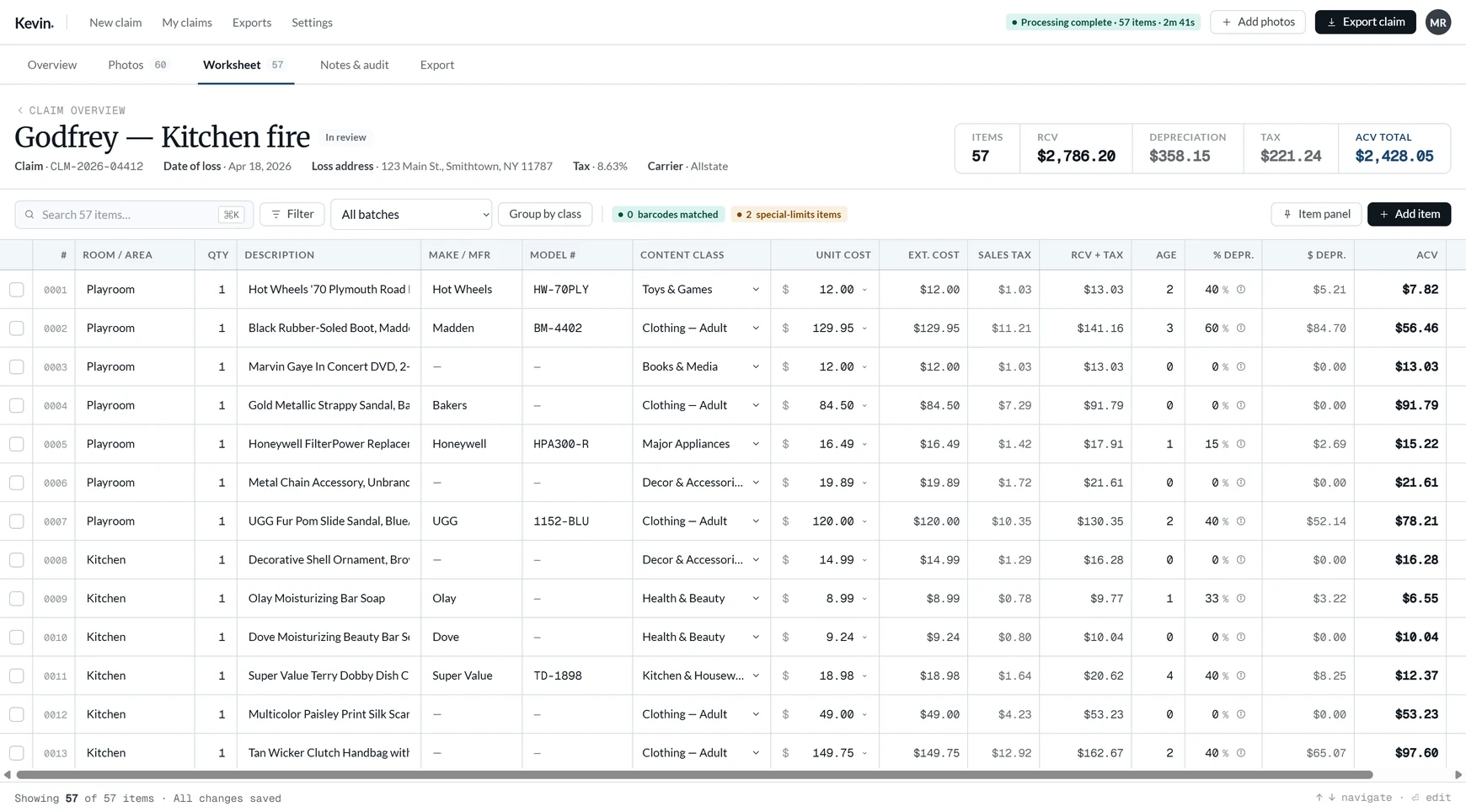
Xactimate (Excel) · .xlsx in the XactContents template, or a room-by-room PDF with photographs. Every derived cell in the spreadsheet is a computed number rather than a formula, because the importer breaks on formulas — the export is a snapshot of what the app produced, and recalculation lives in the app.
Why this is not object detection
| Object detection | Kevin | |
|---|---|---|
| Question answered | What objects appear in this room? | What is this item, and what does it cost to replace? |
| Output | A count of detected objects | A priced, classified, depreciated line item |
| Items per photo | Many — a room photo can yield a dozen | At most one; items are always at or below photo count |
| Evidence kept | None beyond the detection | The listing behind the price, on the row |
| When unsure | Reports a guess with a confidence number | Leaves the cell blank and editable |
Common questions
Does a photograph become a claim line automatically?
When does an item count against my allowance?
What does Kevin do when the evidence is ambiguous?
Can several photographs become one line?
How is depreciation calculated?
What is checked by a person rather than by software?
Build contents claims faster with Kevin.
Your first 250 line items are free, with no clock running. $249/mo after that, unlimited claims.
Related
- How contents pricing worksQuery construction, comparable filtering, and where resale comes in.
- Contents inventory software for public adjustersThe same workflow, framed for the people who run it daily.
- Kevin and XactContents-style workflowsWhat Kevin does, what it does not, and how the export lands.
- A finished claim you can openThe finished output, with real figures.