Insurance Contents Pricing Software Built for Real Claims
Price personal property from an actual replacement listing, keep the source on the line, classify the item, and let the schedule handle depreciation — without searching every line by hand.
How does automated contents pricing actually work?
Kevin searches current listings for each identified item, filters out the ones that are not the same product, prices the line from a single listing, and keeps that listing's link on the row as the evidence.
The price on a line is the price of one real listing — a single representative listing among the comparables found for that item — not an average and not a figure assembled from several. That matters when a number is questioned: the link on the row opens the exact listing the unit cost came from. Quantity and sales tax are applied on top to produce the line total, and depreciation comes after that, from the item's class and age.
Pricing is where contents work slows down
Done by hand, every line is the same seven steps: write a description, search it, open several retailers, compare what is actually the same product, choose one, copy the URL, then look up the depreciation for the category and the age. Four hundred lines is four hundred rounds of that. The judgment in it is real but thin; the typing is enormous.
What the pricing engine does per item
One query per item against the Kevin Content Pricing Engine, which spans major retailers, specialty stores, brand-direct storefronts and marketplaces. There is no roster of individual stores to maintain and no per-retailer integration to break.
Build the query
From the identified item — brand, product type, model — rather than from the whole description. Condition and damage wording is kept out of the search; it belongs on the line, not in the query.
Reject what is not the item
Wrong variant, wrong capacity or size, a bundle priced as a single unit, an accessory for the product rather than the product.
Collapse duplicates
The same listing surfaced twice counts once, so a popular product does not drag the set toward one seller.
Discard outliers
A mispriced listing in either direction is removed rather than averaged in, which is what makes a single-listing price defensible.
Price from one listing
The unit cost equals one real listing rather than an average of several, and the row links to it.
Fall through to resale
Only when retail cannot price the item. The resale figure is used raw, with no gross-up, and labelled as resale.
Retail first, resale only when retail cannot answer
Most household property is still sold new, so retail prices it. Vintage, discontinued and collectible items often are not, and for those the resale market is the only honest source of a replacement figure. Kevin uses it raw — there is no back-solve, no grossing-up toward a hypothetical retail price — and marks it as resale wherever the comp appears, because a used-market price read as a new-replacement price is a defensibility problem waiting to happen.
What makes a comparable valid
| Test | Valid | Not valid |
|---|---|---|
| Identity | Same product, or its current successor | A different model that shares a name |
| Variant | Same capacity, size, finish where those change the price | The 256GB listing for a 128GB item |
| Quantity | A single unit, priced singly | A six-pack priced as one line |
| Form | Same form factor and function | A wall mount standing in for the television |
| Price | The listing price as shown | A price assembled from several listings |
The source stays on the line
The panel shows a sample of the comparables found for a line, not the whole set.
Depreciation comes after pricing
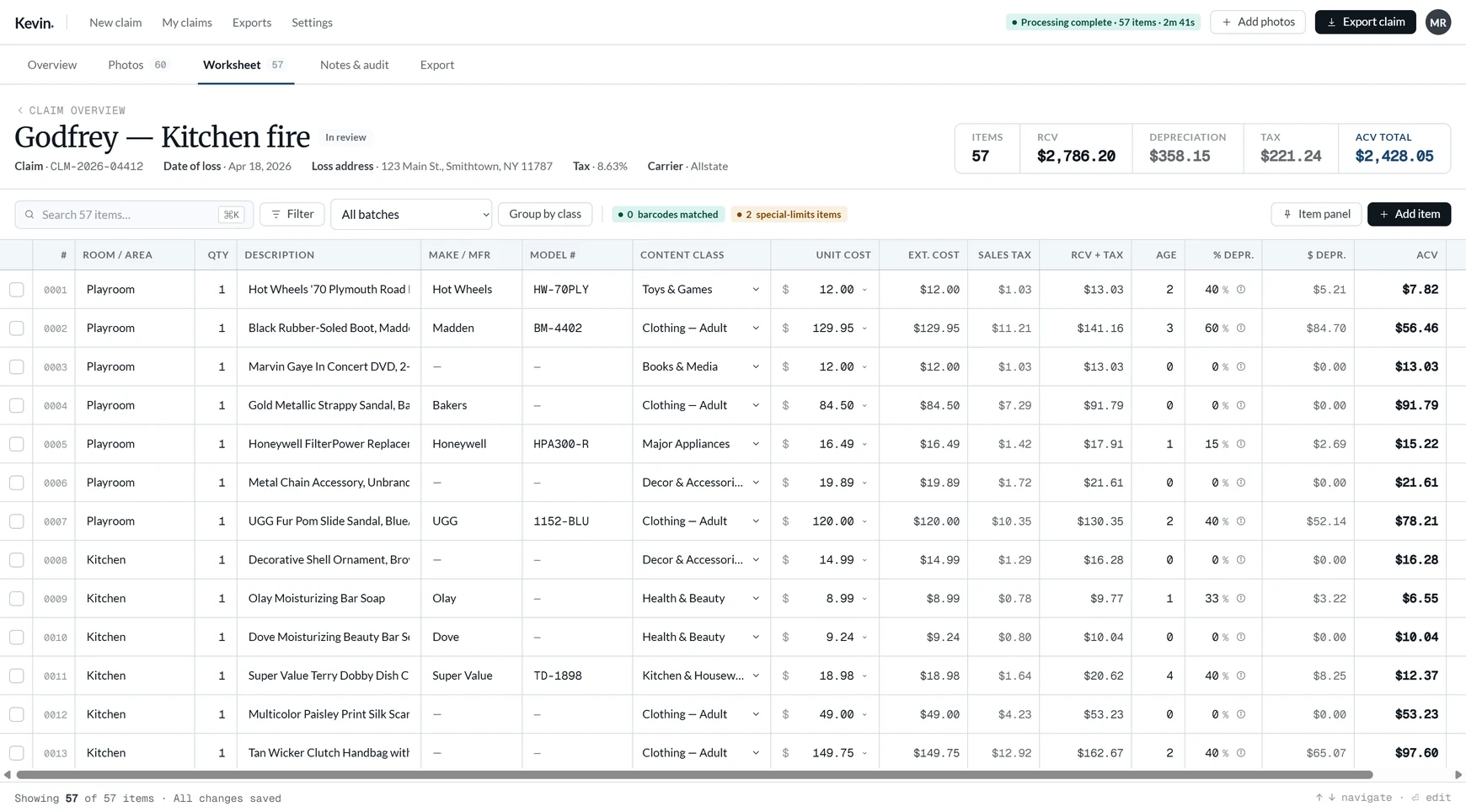
Replacement cost first, then the schedule: the item's content class gives its useful life, the age you enter gives the percentage, and the server computes the dollar amount and the actual cash value. The schedule carries 31 categories and 87 sub-lines, and depreciation runs all the way to 100% — an item past its useful life shows an ACV of $0.00 rather than stopping at an invented floor. The page never computes any of this; it renders what the server returns, so the worksheet and the export cannot disagree.
Common questions
How does Kevin choose which comparable to price from?
Does Kevin price from resale marketplaces?
What happens to items Kevin cannot price?
Are source links included in the export?
Can I change a price or pick a different comparable?
What if pricing is slow or paused?
Build contents claims faster with Kevin.
Your first 250 line items are free, with no clock running. $249/mo after that, unlimited claims.
Related
- Contents inventory software for public adjustersThe whole workflow, from a folder of photographs to a carrier-ready worksheet.
- A finished claim you can openPriced lines with depreciation, totals and the source link on each row.
- How Kevin works, screen by screenIntake, staging, processing, the worksheet and the export.
- Pricing: $249/mo, unlimited claims2,000 line items a month included, then $0.20 an item. First 250 free.