How to Price a Contents Claim When the Photos Are Gone
For total losses and catastrophic fires, Kevin prices from item descriptions — a typed list, a restoration company's inventory, or an exported spreadsheet — when usable photographs no longer exist.
Can a contents claim be priced without photographs?
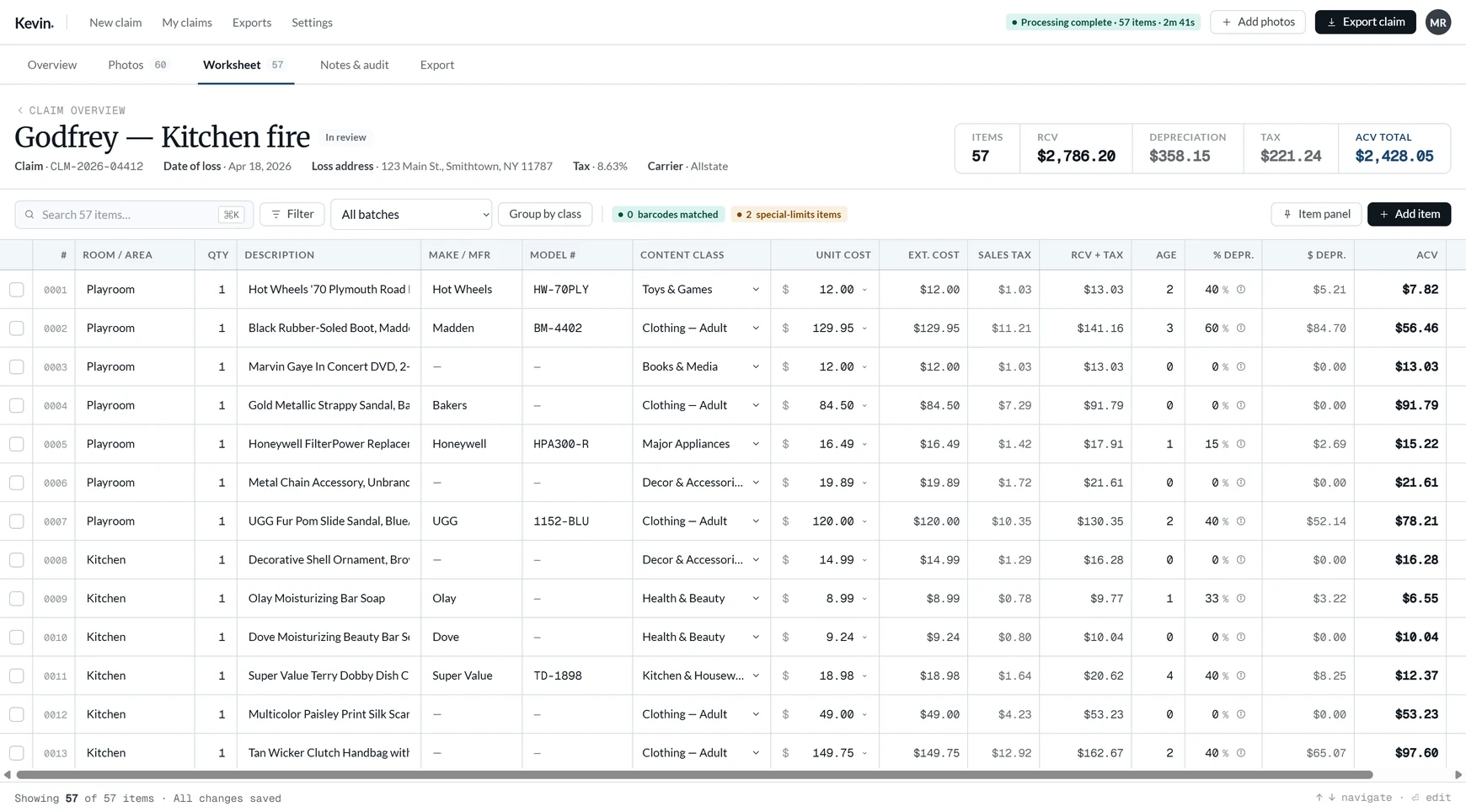
Yes — from a written inventory, where each described row is researched and priced like a photographed item would be, with the source link kept on the line.
This is a separate workflow, not the photo-based engine with the photographs removed. The engine identifies property from evidence; here there is no evidence beyond the description, so the specificity of the result depends on the specificity of the list. That is a real limitation and worth saying plainly before anyone relies on it.
When no-photo pricing is the right route
- A total fire loss where the contents and any photographs of them are gone.
- Property destroyed or disposed of before anyone documented it.
- A restoration company's or mover's inventory that exists only as a PDF.
- An insured reconstructing a list from memory, receipts and purchase histories.
What to put in the list
| Field | Thin description | Useful description |
|---|---|---|
| Item | Sofa | Pottery Barn Andes sectional, 3-seat, charcoal |
| Brand and model | — | Brand plus model or collection name where known |
| Size or capacity | — | 3-seat; 65-inch; 25 cu. ft. |
| Quality tier | — | Mid-range, premium, builder-grade |
| Age | — | Years owned, which is what drives depreciation |
| Quantity | 1 | Exact count, since the line total multiplies by it |
Age here means how long the insured owned it, not when the model was released. That is the number the depreciation schedule needs.
How the import runs
Parsing happens on the server, because real inventories arrive as PDFs rather than tidy spreadsheets. You then map the columns Kevin found to the fields it needs, preview the result, and import.
| Step | What happens | Creates line items? |
|---|---|---|
| Parse | The file is read server-side and columns are detected | No |
| Map | You confirm which column is description, room, quantity, age | No |
| Preview | A true dry run against the mapped rows | No |
| Import | Rows become claim lines, 500 per request, resumable | Yes |
Rows that look like section headings are flagged and pre-selected for removal, never dropped for you: a heading left in the list would be priced as property. The confirmation step states how many searches the import will run — two per priced item — rather than just the row count, because that is what it costs.
Photo-based versus written
| From photographs | From a written list | |
|---|---|---|
| Evidence | The item itself, in frame | The description someone wrote |
| Identification | Brand and model from badges, plates and barcodes | Only what the description states |
| Grouping | Several shots become one line | Not applicable; a row is a line |
| Review step | Photographs are grouped and confirmed first | Skipped entirely |
| Pricing | Priced from a listing, source on the row | Priced from a listing, source on the row |
| Depreciation | Class and age | Class and age |
| Export | Identical | Identical |
Where it lands
Common questions
Can Kevin price a claim with no photographs at all?
What information makes the results better?
Does the list go through staging like photographs do?
Does importing a list create claim lines immediately?
What happens to section headings in the list?
Is a no-photo inventory as strong as a photographed one?
Build contents claims faster with Kevin.
Your first 250 line items are free, with no clock running. $249/mo after that, unlimited claims.
Related
- How to price contents claims fasterThe five bottlenecks, and where automation should stop.
- How Kevin builds a line itemWhat the photo-based route runs through, and where a person confirms it.
- How contents pricing worksWhat makes a comparable valid, and when resale is used.
- Pricing: $249/mo, unlimited claims2,000 line items a month included. First 250 free, no deadline.